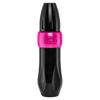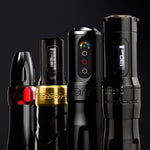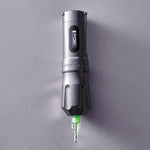


When you’re locked into a session, the last thing you need is to second-guess how much power your battery has left. Your machine settings, cartridge choice, battery health, and actual motor-on time all dictate battery life. Understanding exactly how your setup draws power gives you the edge to plan longer sessions and eliminate unnecessary downtime.
Mastering your wireless runtime comes down to three essentials: establishing realistic expectations, locking down a reliable charging routine, and knowing how to troubleshoot before a battery slows you down.
Know Your Tattoo Machine Battery’s True Runtime
First, clarify the difference: runtime is how long a battery powers your machine on a single charge, whereas lifespan is how long that battery remains functional before natural wearOpens a new window calls for a replacement.
Here’s what you can expect from FK Irons wireless power systemsOpens a new window in the shop:
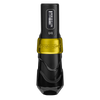
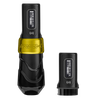
- FK ONE Update and FK ONE Adjust: Deliver approximately 5.5 hours of runtime with the standard battery and 6.5 hours with the extended battery, depending on voltage and operating conditions. Running both fully charged batteries provides roughly 12 hours of combined tattooing power, with a quick swap between them.
- PowerBolt II: Offers an estimated runtime of 6 to 10 hours based on your operating parameters.
Treat these figures as tactical planning baselines rather than guaranteed minimums. After all, your settings—voltage, needle depth, stroke, and beyond—all influence your battery’s runtime. So, to dial in your own baseline, track your machine, voltage settings, cartridge choices, and approximate motor-on time across several appointments. See how long your battery typically lasts based on those settings.

What Affects Tattoo Machine Battery Life?
If your tattoo machine lasts longer during some sessions than others, there's usually a reason. Your operating speed, needle cartridges, stroke length, and battery condition all influence how much power your machine uses.
Machine Speed and Cartridge Load
The faster your machine runs, the more power it may consume. Cartridge resistance also plays a role, especially when switching between smaller liners and larger groupings.
But needle count isn't everything. Diameter, taper, grouping configuration, and membrane tension can all affect how hard your motor works. That's why two cartridges with the same needle count won't necessarily place the same demand on your machine.
When matching your settings to different needle groupingsOpens a new window, pay attention to how the cartridge performs under load. Choose a voltage that supports your hand speed and technique rather than lowering it simply to extend battery life.
Stroke Length
Stroke length affects how far your needles travel with each cycle, which can also influence the workload on your motor.
For example, the FK ONE Adjust offers an adjustable 2.0–5.0mm stroke, giving you flexibility across lining, shading, and color packing. Different stroke settings may affect power consumption, depending on the cartridge, operating speed, and resistance.
Choose the stroke that suits your technique first, then assess how your setup affects runtime.
Battery Age and Temperature
Your machine's settings aren't the only factors to consider. Lithium-ion batteries gradually lose capacity as they age, and charging habits, usage, and temperature all affect how quickly that happens.
Heat is particularly hard on batteries. Avoid leaving them in hot vehicles or direct sunlight, and charge them within the temperature range recommended by the manufacturer.
For long-term storage, follow your battery's care instructions. Generally, lithium-ion batteries are best stored partially charged in a cool, dry environment rather than left completely drained.
Taking care of your batteries helps preserve their capacity, giving you more consistent performance over time.
Build a Reliable Charging and Swap Routine
Prepare your power supply or battery pack before your client sits in the chair, so battery swaps + recharges integrate seamlessly into your workflow.
Recharge Between Appointments.
There's no need to wait until your battery is empty before charging it. Lithium-ion batteries handle partial charges well, so feel free to top yours up between appointments. In fact, avoiding repeated full discharges can help preserve your battery's long-term capacity.
Use the Right Charging Equipment
Different FK Irons batteries have different charging requirements. Here's what to know:
- FK ONE Update and FK ONE Adjust: Remove the battery and place it in the external charging dock, making sure the positive and negative ends are positioned correctly. Use the recommended USB-C cable and a compatible power adapter. The FK ONE UpdateOpens a new window includes standard and extended batteries, matching caps, and a USB-C charging dock.
- PowerBolt II: Charge directly through the USB-C port. Compatible with the Flux Max, Flux, Flux S, and EXO, the PowerBolt II cannot power your machine while charging. Keep a spare battery chargedOpens a new window so you can switch batteries without interrupting your session.
PowerBolt II packs and FK ONE drop-in batteries are distinct systems. Always ensure your replacement battery matches your exact machine model.

Swap Batteries Before They Run Out
Check your battery life between passes or during breaks so you don't run out of power mid-tattoo. On the PowerBolt II, one blinking bar means you have approximately five minutes of battery life left. That's your cue to swap batteries rather than squeeze out the last few minutes.
Always turn off your machine before changing batteries, follow your model's instructions, and maintain proper barrier protection and glove-changing procedures to prevent cross-contamination.
Troubleshoot Before Replacing Your Battery
Noticing shorter battery life, charging issues, or unexpected shut-offs? Before replacing your battery, try a few simple troubleshooting steps. The problem could be with the battery itself, its connections, or your charging equipment. Here are some steps to take:
- Check the fit. On the FK ONE Update and FK ONE Adjust, ensure you are using the correct battery cap and thread it completely until the arrow and lock icons align. On the PowerBolt II, ensure the pack is fully seated and locked into the body.
- Inspect the connections. With power disconnected, check all accessible contacts and charging ports for barrier residue, moisture, lint, or physical damage. Clean according to your model’s instructions. Never scrape contacts or insert metal tools into charging ports.
- Check the cable and adapter. Swap in known-good, compatible charging cables and wall adapters, testing one component at a time to isolate the source of the issue.
- Reset PowerBolt II if needed. Press and hold the Up and Down buttons simultaneouslyOpens a new window. (Note: This reset procedure applies specifically to the PowerBolt II, not every FK battery system.)
- Test with a charged spare. Compare performance using a compatible battery under identical working conditions. If performance returns to normal, inspect the original battery and its connection before assuming it needs replacement.
Sluggish or uneven needle movementOpens a new window doesn't automatically mean your motor has failed. Always verify your cartridge membrane, voltage settings, and power connections before assuming an internal hardware fault.
If troubleshooting doesn’t resolve the issue, contact the FK Irons service centerOpens a new window with your machine model, observed symptoms, and the diagnostic steps you’ve completed. Our team will verify next steps and check applicable warranty coverage. Please obtain a Return Authorization (RA) number before shipping equipment in for service.
Keep Your Next Session Powered
Don't let a dead battery interrupt your session. Keep a charged spare ready so you can work without unnecessary downtime. Explore our selection of batteries and wireless power suppliesOpens a new window to find the right backup for your machine.